memo
- Download and setup Alchemy SDK following instructions.
- Put cdt-build.sh into $ALCHEMY_HOME.
- Download cdt-achacks-gcc.patch and patch.
# cd $ALCHEMY_HOME/achacks
# patch < somedir/cdt-achacks-gcc.patch
(or download gcc and replace with $ALCHEMY_HOME/achacks/gcc) - Install CDT. (Help -> Install New Software... -> (Select appropriate update site) -> Select "C/C++ Development Tools" under "Programming Languages")
- Create New "C Project".
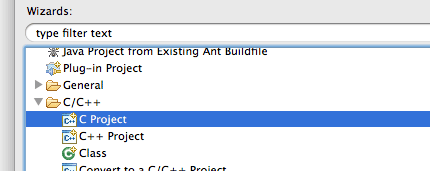
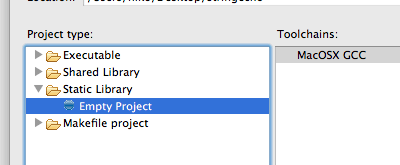
- Select "Shared Library - Empty Project" and click "Next".
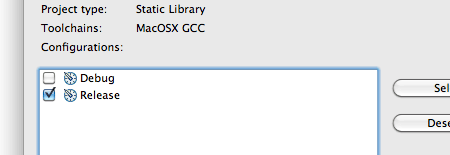
- Uncheck "Debug" and click "Finish". (only 1 configuration required.)
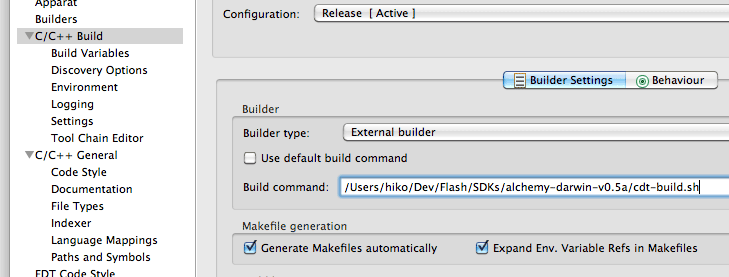
- Open project property.
- In "C/C++ Build" page, uncheck "Use default build command" and input full path of cdt-build.sh.
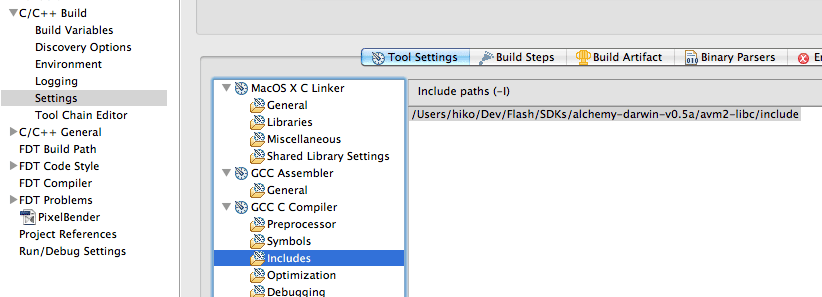
- Add include path ($ALCHEMY_HOME/avm2-libc/include) to "GCC C Compiler/Includes" section in "C/C++ Build - Settings" page.
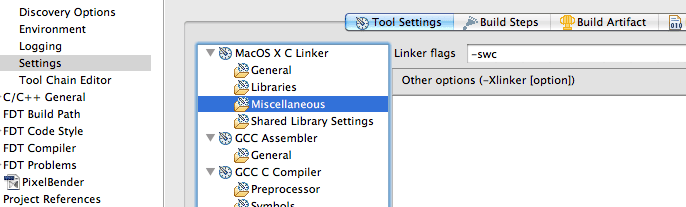
- Add linker flag "-swc" at "MacOS X C Linker/Miscellaneous" section.
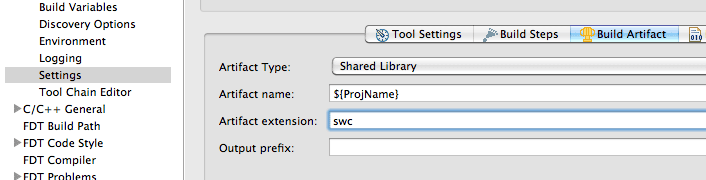
- Move to "Build Artifact" tab and change "Artifact extension:" to "swc", "Output prefix" to blank.
- Create source folder. Copy stringecho.c from $ALCHEMY_HOME/samples/stringecho/stringecho.c then "Build".
- swc is built in "Release" folder.
- Open "Flash FDT" perspective.
- Add project to "Flash Nature". (Right click on project root folder -> "Flash Prject" -> "Add Flash Nature")
- Add swc to class path.
- Create AS3 source folder and copy EchoTest.as from samples folder.
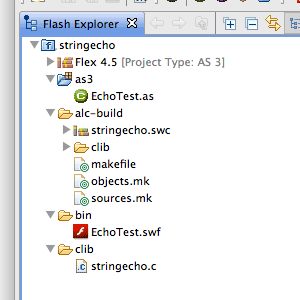
- Run it as usual.